Maidsuit: Draw
The best drawing plugin for OBS.
Features
- Being Free!
- Line Boiling/Jittering for fun
- Co-op: Draw with friends directly in OBS using IP & Port
- Layers
- Toggleable and adjustable live scene preview
- Undo/Redo
- Image support: Just paste your image onto the canvas and paint / erase over it
- Multiple Canvases
- Color Picker
- Selection Tools
- Zooming/panning
- Text Tools
- Shape tools (fill mode, outline mode, erase mode)
- Fun Brushes
- Familiar art tools (procreate fill tool, special brushes, etc)
- Near-zero performance impact
Hotfix 1.2.1 fixes crash on SOME OBS installations on 32.2.2
Changes
- Hotfix fixes crash on SOME OBS installations on 32.2.2 View the 1.2.0 changelogs for the latest feature update additions.
WE'VE HIT 1,300+ DOWNLOADS!!!! AND IM STILL BROKE!!!!!! What an insane journey this has been. What started off as a month-long impulse project since I saw a gap in accessible, free, browser-less, lightweight OBS drawing tools turned into this huge passion project for me to work on while i'm still finishing up my return stream trailer. This time I got a lot of requested features done in this update, as well as even MORE optimization for lower-end machines when it comes to the jitter effect, so for right now updates are going to slow down until I start streaming again, unless theres big bugs that i've missed that needs a quick hotfix. Speaking of, since i'm keeping this free and not even accepting donations, I'm going to selfishly ask everyone to support me on twitch @ twitch.tv/maidsuit and patiently wait for my return coming soon!
Changes
- Color picker now added! Find it under the color selection area.
- Shift press the color picker, or right click the color picker to select the "Pick Directly" color picker, accounts for screen preview and what youre actually visually seeing.
- Box select, Lasso Select, and Circle select has now been added
- Select multiple layers with Shift or Control select
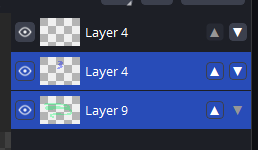
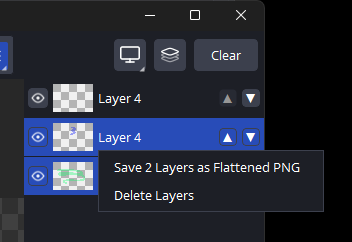
- Save selected layers as flattened PNG & Delete selected layers
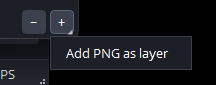
- Right click or press-and-hold the + button to import an image as a layer. This can be used to save your canvas and import it later if youd like!
- Performance Improvements, especially with Jitter!!
- Swapped location of Eraser and Special Brushes toolbar button
- Fixed bug with opacity drawing and would "overlap" itself. More noticeable with jitter on
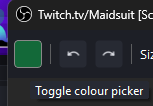
- Fixed bug where hovering over the color selection box would have a tooltip thats background was the same color as the color selection box
THANK YOU SO MUCH FOR YOUR SUPPORT AND 400+ DOWNLOADS i broke down into tears last night, ive never gotten this much support in ANYTHING in my life- this has brought me so much joy. Im so happy you all are having fun! Remember to join the discord! Quick note: Linux is now going to be supported from now on, as well as source code will be public!!! Yay!
Changes
- Linux now supported - both tar.gz and .flatpak
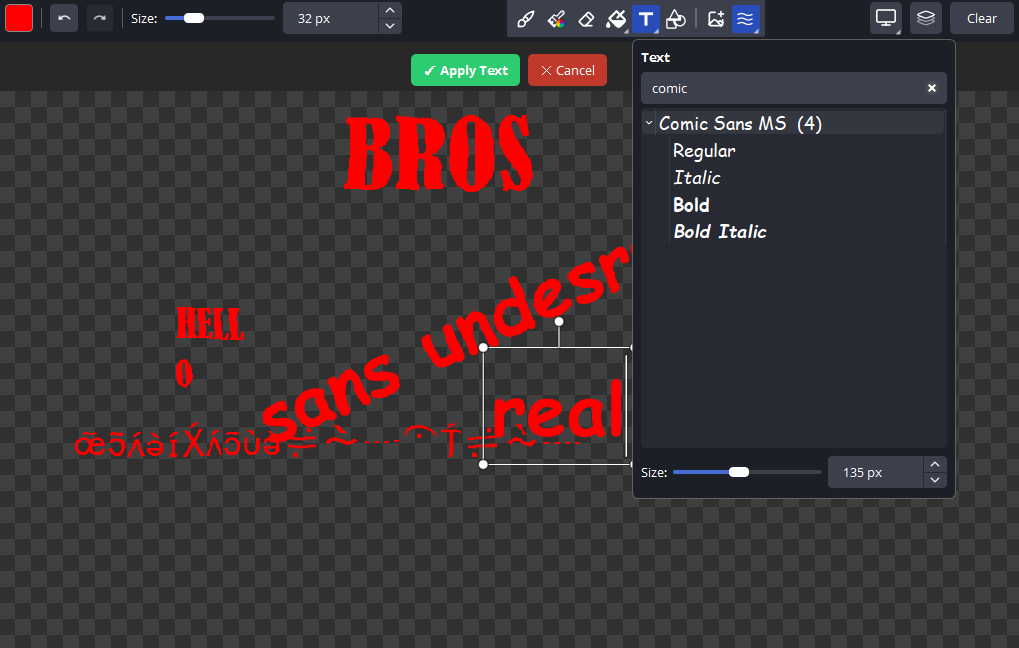
- Text Tools! You can write text, rotate it, scale it, and use any font you have downloaded on your computer! Has a search function, and also I decided to group together variable fonts. Directly inspired by adobe illustrator.
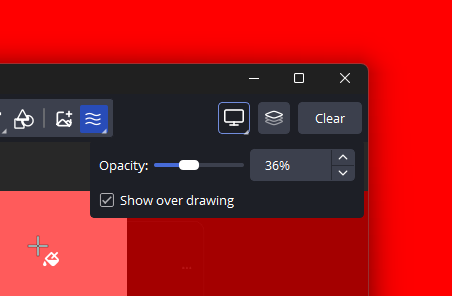
- Screen preview now has a new option to always show on top of your canvas/drawing - combine this with "opacity" and you can ALWAYS see where you're drawing/erasing!
- Screen preview is now available on co-op canvases
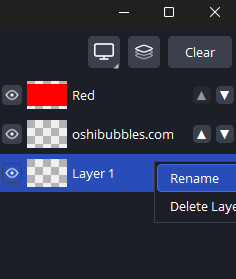
- Renaming layers is now possible, either by double clicking the layer name, or right click > rename layer
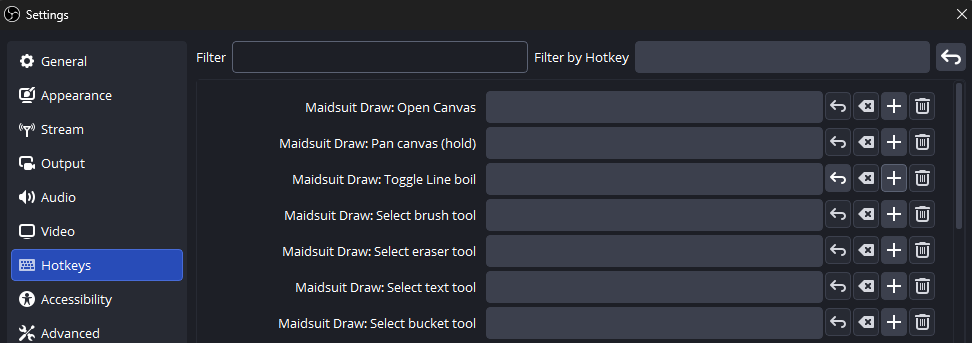
- Added configurable hotkeys in Settings > Hotkeys for "Open Canvas", "Pan Canvas", "Toggle Line Boil", "Select brush tool", "Select Eraser Tool", "Select Text Tool" and "Select Bucket Tool"
- Added right-click functionality to all of the tool dropdown buttons
- Increased the amount of times per second the canvas on the stream updates - it felt too choppy to me. should have minimal impact on performance
- Changed the source icons to a pretty picture from the default boring ones
- Added option to "skip update" on future installer updates so people wont get bugged every time they launch OBS and theres a update
- Fixed a bug where an event fired mid-construction under m_canvas causing a crash
- Fixed bug where single clicks were not registering painting, so you would have had to move the brush to start the brushing
🎉🎉🎉VERSION 1.0.0 RELEASE 🎉🎉🎉 🏅🏅☝️VAI BRAZIL NUMERO UNO!!!!🏆🏆 Anyways this is the official version 1.0.0 stable public release!! Though i'm typing this technically before the trailer is finished and its announced publicly, but whatever. Super excited to share this plugin with everyone! And yes, this will always stay free. The trailer can be found at the top of the page, but i'm sure you're here because of it anyways! Also a bonus note, I am actually already working on the next major release for post-public announcement. The next releases planned features are: - "Saved Layers" (wow so cryptic) - Persistent Canvas type - Text tools - Preset Brushes - Selection/Move Tool - Save canvas as a flattened png visually (hiding a layer means it wont be saved in png export) - Renaming Layers - More Look forward to the next update! Cheers!
Changes
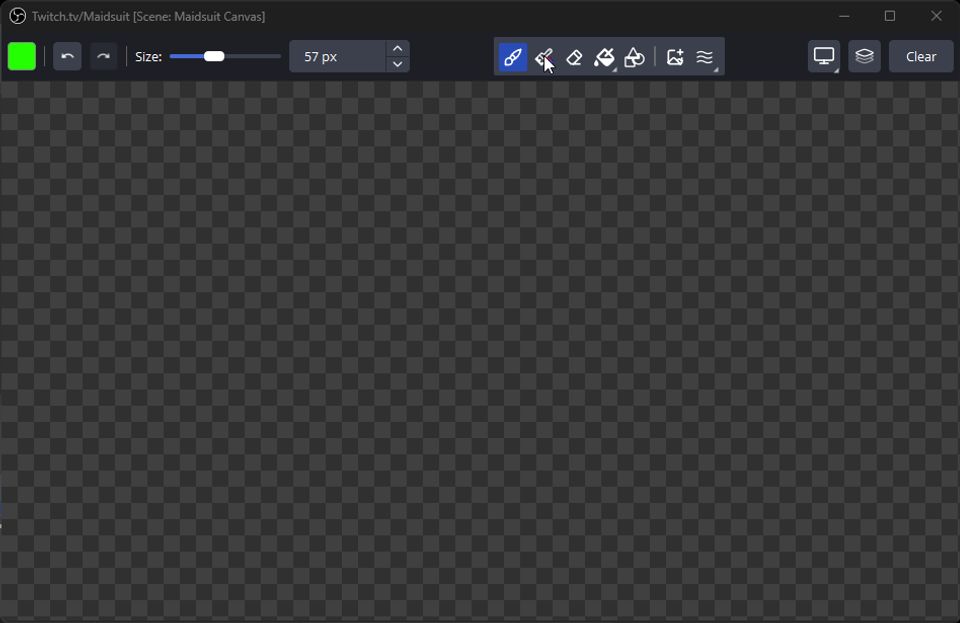
- Image support! Now able to paste images via CTL+V, or use the new toolbar button that adds a dropdown window in case you have trouble with CTL+V. Support opaque or transparent images, supports all sorts of image files (including the first frame of gifs)! Once you paste for the first time, you can us the familiar controls to size, move, or rotate the image. See below:
 Hover to play
 - Fixed bug with drawing previews not rendering properly in canvas when not drawing on the top layer
- Fixed bug with how the canvas is actually stored, changing its location to %APPDATA%\MaidsuitDraw instead of whatever tf i was thinking at 3am while developing this. Also added legacy canvas fallback cleanup.
- More stabilization changes on the back end to ensure that the software does not hog resources- even if jitter is enabled! Yay! (Vtube Studio is such a hog that even i have to account for it)
- Cleaned up the code comments since I realized I have a problem with over-commenting and over-explaining things that dont need explaining. Should cut down the file size by a little bit. Maybe. Probably not. It was for my own sanity. You wont see them anyways.
- Changed wording on the Installer to make it easier to understand your options when a previous installation is detected
- Updated the uninstall logic to also give the user the option to remove saved drawings & registry keys (HKCU\Software\MaidsuitDraw) under a second confirmation window so an accidental uninstall does not nuke someones drawings like hiroshima and nagasaki but still giving the user the option to nuke everything in case they really need/want to do a "true" full uninstall. Its your computer, and its honestly stupid when software doesnt tell you its leaving behind files even after you "uninstall" it.
- Image support! Now able to paste images via CTL+V, or use the new toolbar button that adds a dropdown window in case you have trouble with CTL+V. Support opaque or transparent images, supports all sorts of image files (including the first frame of gifs)! Once you paste for the first time, you can us the familiar controls to size, move, or rotate the image. See below:
- Download
Changes
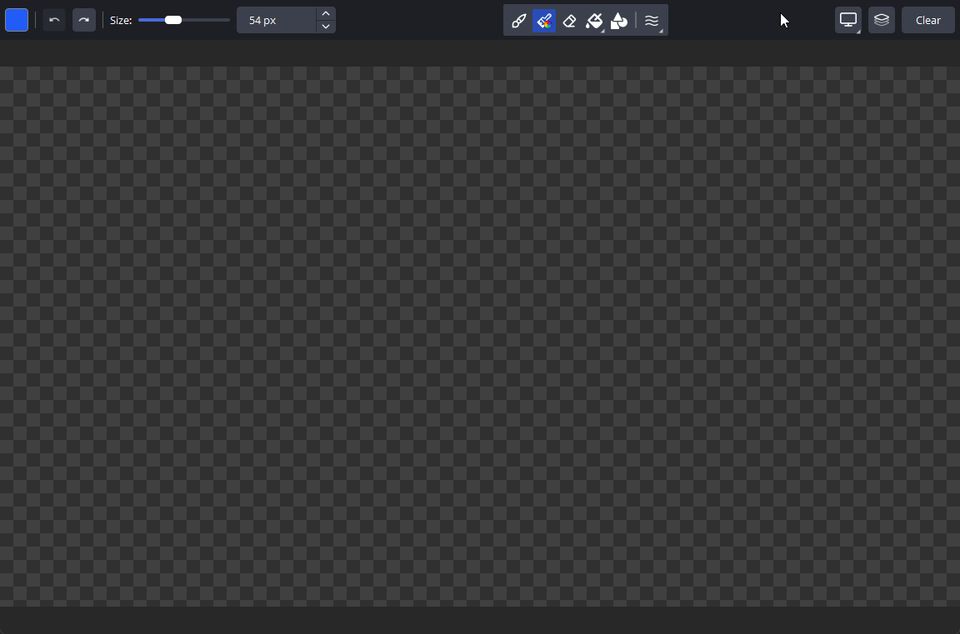
- New tool: Special Brushes! The goal of this new tool is more of a "fun brush" tool that allows you to draw certain common/fun things quickly without wasting time doing it manually. The first 4 brushes I've decided to add are: Rainbow, Confetti, Bubbles, and Chain!
 Hover to play
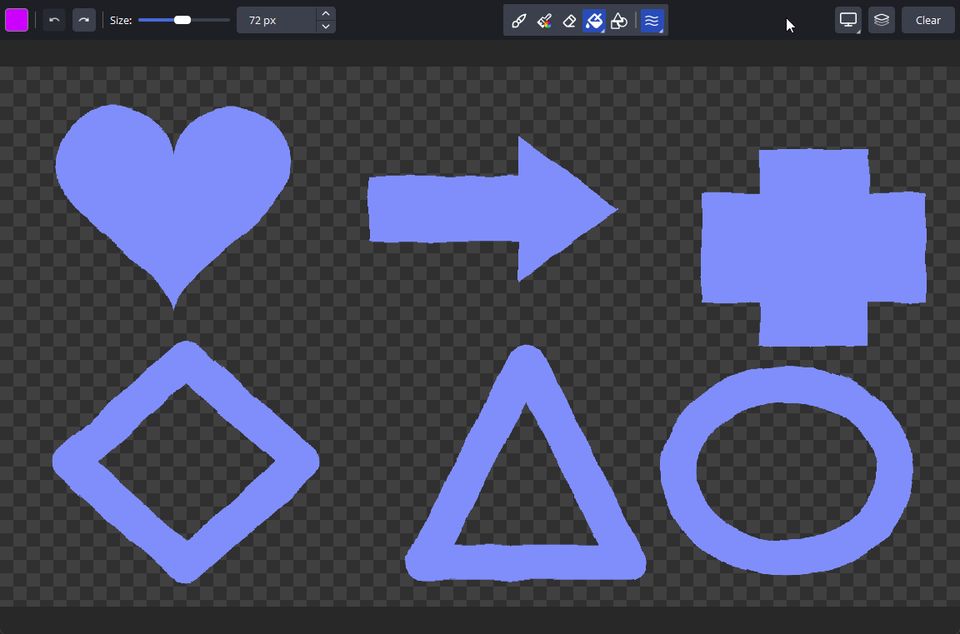
 - Added new fill tool addition: New Procreate-style fill bucket animation. Use the bucket tool normally, except it will "fill" from where you clicked from, and have a pretty visual animation that I thought was cool to add.
 Hover to play
- New tool: Special Brushes! The goal of this new tool is more of a "fun brush" tool that allows you to draw certain common/fun things quickly without wasting time doing it manually. The first 4 brushes I've decided to add are: Rainbow, Confetti, Bubbles, and Chain!
- Download
Changes
- Added auto-checking this site for updates. If the version number matches, or is newer than public, it wont prompt to update. If the version number is older than the latest public version, it will prompt to update.
- Fixed issue where if you tried opening the canvas that was in a folder it would prompt you to create a new one.
- Fixed issue where sometimes CTL + Z would not work, and instead be captured by the main OBS window
- Fixed issue for tablets where sometimes devices with tablets will "hitch" and cause the first little bit of your line to be lost.